- Click on the Members section in the admin panel.
.png?width=670&height=301&name=mceclip0%20(1).png)
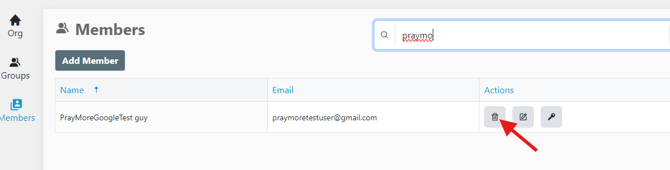
- Type the user's name or email address into the search bar.
.png?width=670&height=170&name=mceclip1%20(1).png)
- Click the trash can icon to remove the user. You will be prompted to confirm the deletion.
This will completely remove all access for this particular user to any of the PrayMore data of your church/organization. The user will no longer be able to subscribe to any lists, create prayers on lists, or see any prayers that were shared to them as part of a group membership.
English
