A Free Forever group allows you up to 15 members, and one list.
To create your group, do the following.
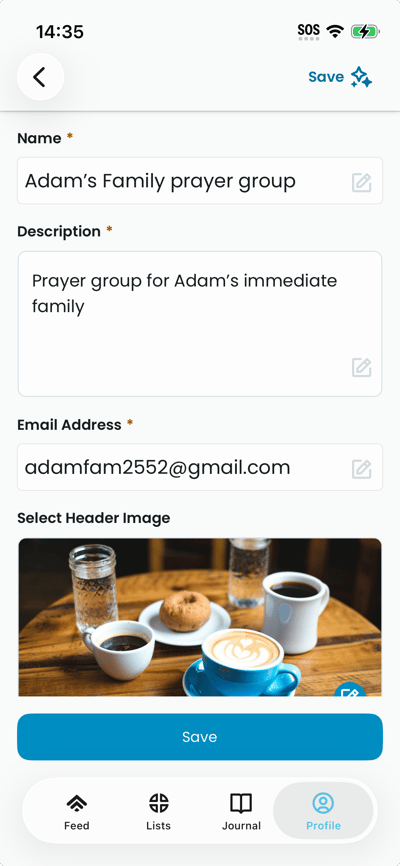
- Open the Create Group screen (Profile → Create Free Forever Group). The form displays fields for name and description, plus options for header and logo.
- Enter a name and description for your group in the fields at the top.
- Tap Select header image. On the header image screen, tap an image to select it; a preview appears on the Create Group screen.
- Tap Select logo image. On the logo screen, tap a logo to select it; the logo preview appears.
- Tap the create button at the bottom. The app creates the group and shows the success screen with your invite link and QR code.