
If you created a group and need to share your group, there are two main ways to do this.
Steps to share a one-time invite link
-
To share a one-off invitation link to a specific person, navigate to the Lists tab at the bottom of the screen.
- Tap your group on the Lists page.
- Tap the Manage button next to your group name.
- Tap"Invite to Group" button
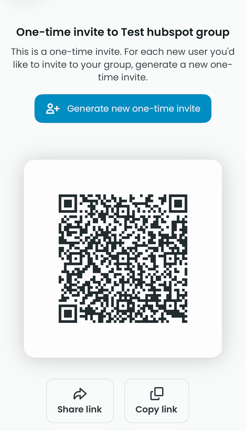
- Tap the Generate new one-time invite button and you will be presented with a QR Code and buttons to Share or Copy the link.
- ⚠️ IMPORTANT: This link is a one-time use link and can only be used by a person once. You can keep generating new links for multiple people, but each link can only be used once.
Steps to share a multi-user link
-
To share out a link to multiple users, go to Profile ➡️ Settings ➡️ [Your group]
- Tap the "Invite QR Codes and Links" tab.
- Tap your group name
- You will be presented with an invite QR code as well as option to Share and Copy the link
- ⚠️ IMPORTANT: This link can be used multiple times by anybody who has that link. Be careful to not share this out publicly for a group you would like to keep private.