
We're sorry to see you go. Here's how to remove yourself from PrayMore.
To Access the Profile Screen
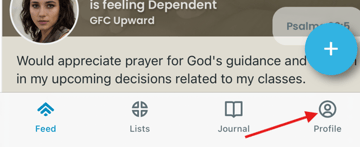
Most of your PrayMore screens will have access to the Profile screen at the bottom right like the example below. Just tap on it and it will take you there.
To Access the Account Information
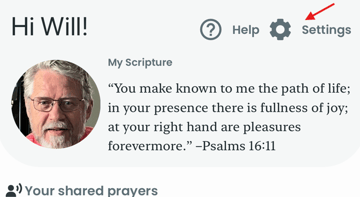
Next, tap on Settings.
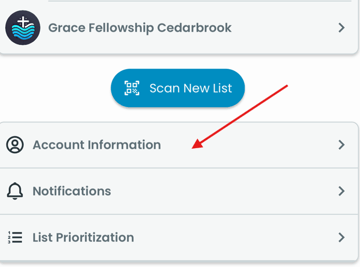
The blue Scan New List button will be in the middle of the next screen. Tap on the Account Information bar that you will find just below it.
To Remove Your PrayMore Account
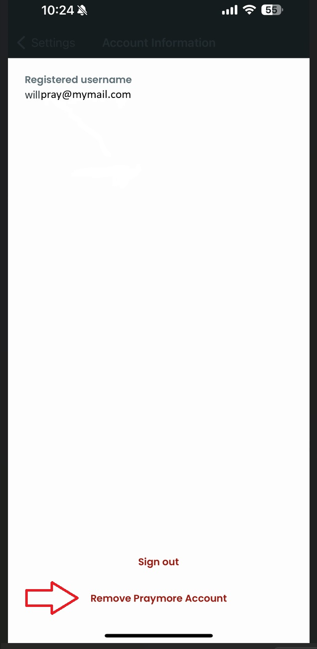
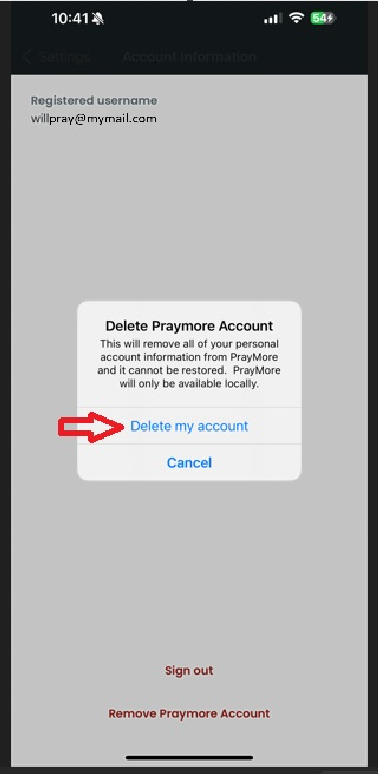
The Account Information screen will indicate toward the top your registered username.
To delete this account, tap on Remove Praymore Account that you will find at the bottom of the screen.
A pop-up will appear, giving you the opportunity to change your mind. If you're certain of your choice, tap on Delete my account and all of your personal account information will be permanently removed.
If at some date in the future you wish to rejoin PrayMore, you will need to receive a new QR code to re-join from your church/organization's PrayMore admin.