
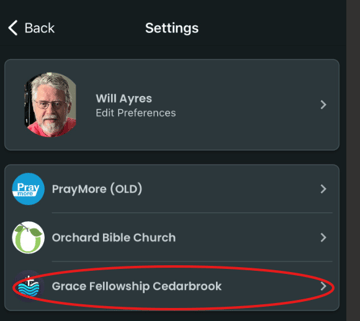
- Go to Profile>Settings and tap on the church/organization that you wish to remove.
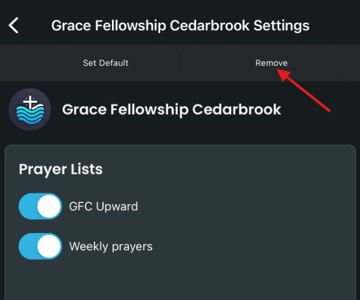
- Tap Remove in the upper right-hand corner. You will be prompted to confirm your choice to be removed from the church/organization.
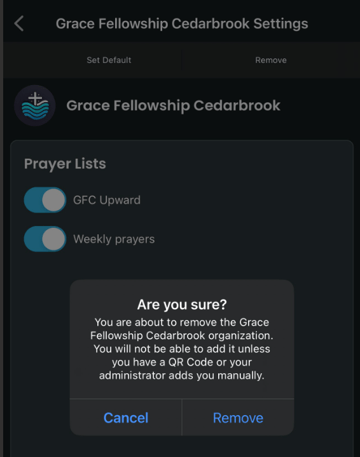
3. This will both prevent you from seeing any information published by the church/organization as well as remove you from their member list and from any groups of which you were a member. This cannot be undone. So only use Remove if you are sure that you want no more contact with the church/organization, and all of its members from within PrayMore.