
Ask a Group Admin
Group admins also have the ability to remove you from a group on their end. Contact your group admin to remove you. When a group admin removes you, you will no longer see the possibility of subscribing to that group in PrayMore. Don't fret, if you need back in, the admin can always provide you with the QR code to join again.
Unsubscribe
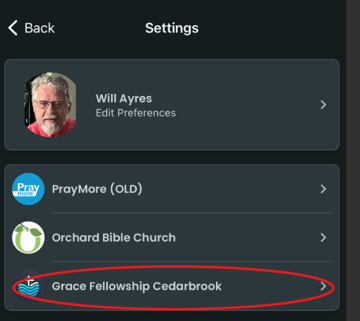
- Go to Profile>Settings and tap on the church or organization in which your group exists.
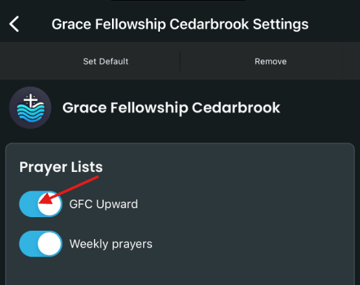
- Tap the slider button to the left of the group name you wish to leave.
- You will notice that the button will move to the left and the blue color will change to gray.
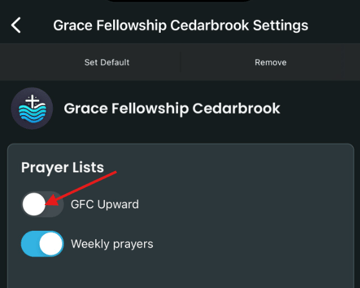
- You are still a member of the selected group but you will not receive prayer requests from nor be able to submit prayer requests to this group. Simply select the back arrow
 at the top left of your screen to exit.