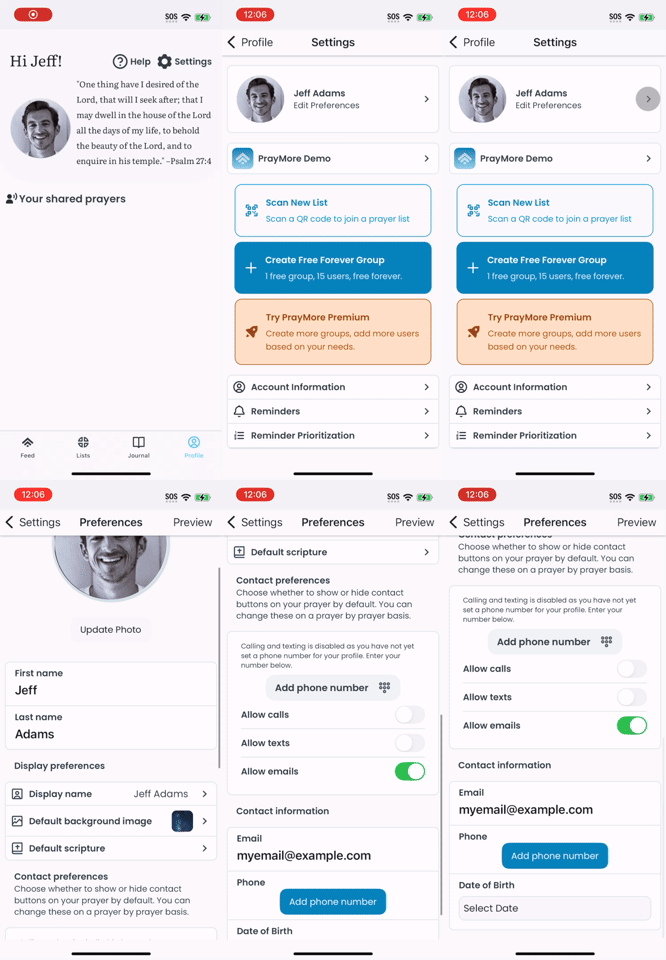
To change or update your name or contact information, go to the Profile → Settings → Edit Preferences.
From there you can update your first and last name as well as your contact preferences.
Display Name allows you to set whether you want to show your full name, first name and last name initial, or just your first name.
Contact Preferences lets you choose whether to show or hide contact buttons when you share a prayer with others. You can also change this on a prayer by prayer basis.
Use Contact information at the bottom of the preferences page to change your phone number or email address.