Begin by adding a prayer request
Tap on the blue plus icon  in the bottom right corner of your screen.
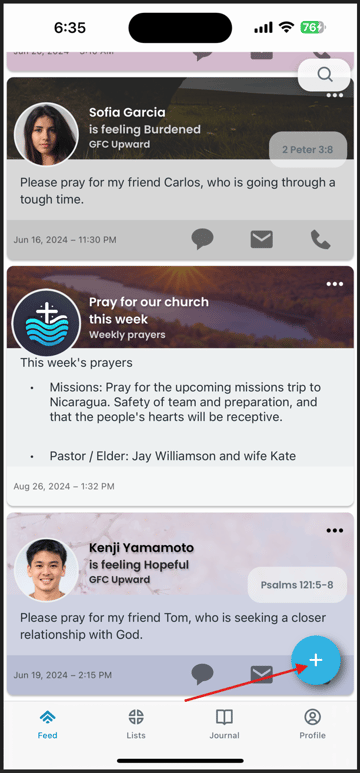
Once you've tapped on the blue plus icon, you should see this screen:
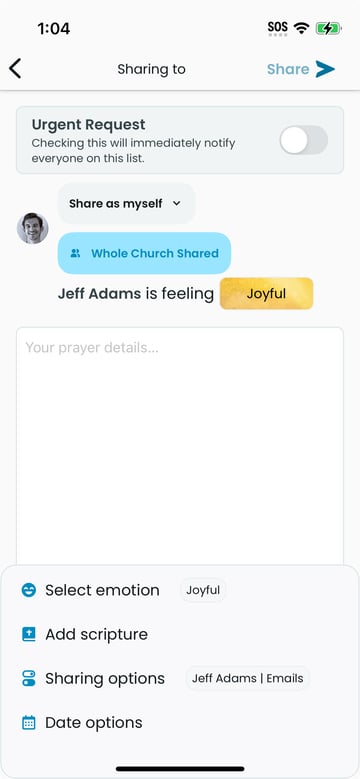
Add and orient your prayer requests photo
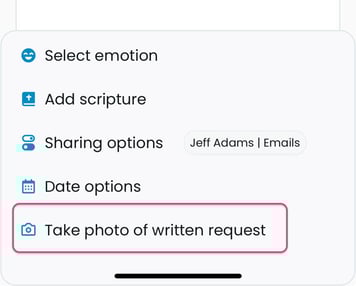
Tap on the button labeled Take photo of written request:
This should open your phone camera. Now take a photo of your requests. After taking the photo, you will be given the option to tap on either Use Photo or Retake.
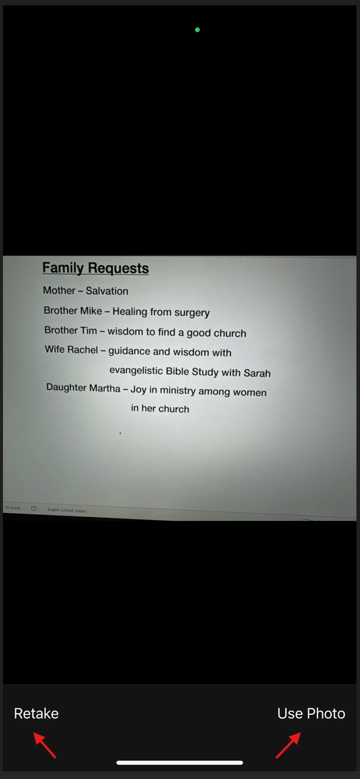
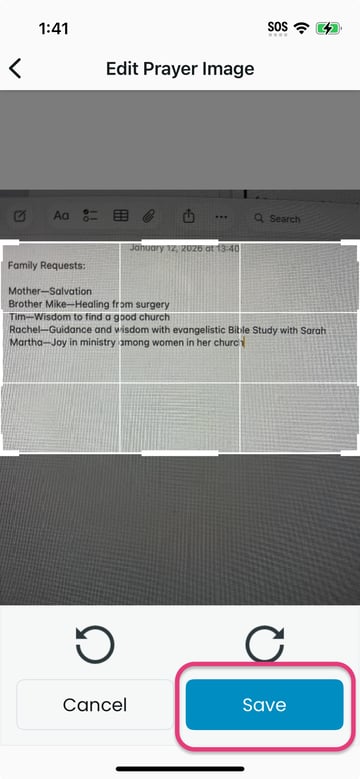
After accepting your photo, you will be given opportunity to fit your prayer requests to the gridded space.
Use two fingers to fit the image. When you're happy with the fit, tap on the Save button at the bottom of the screen
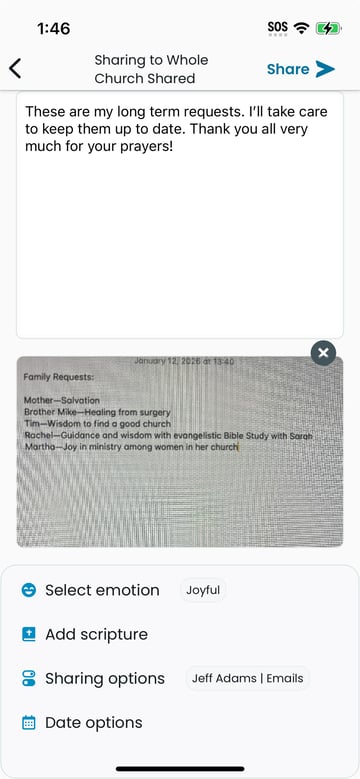
Complete and share your prayers
You can now complete your photo prayer requests by optionally adding:
- any additional text details
- an appropriate emotion
- an appropriate Scripture
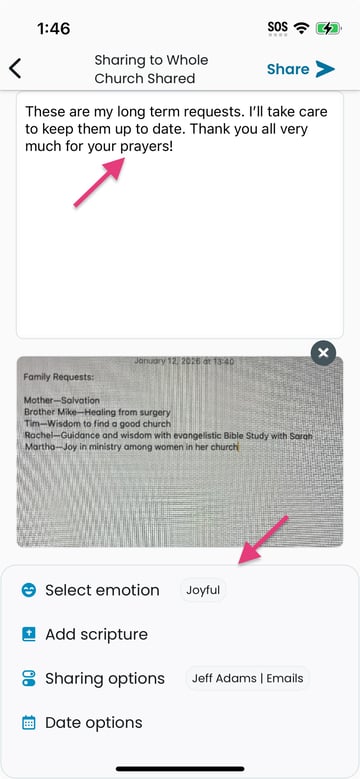
When you have completed with all of the details, tap on the Share button in the upper right.