
The + button is unavailable because you are not a member of a list that allows sharing
You try to tap share and it fails with an error message
Your phone may be in airplane mode
You may have poor cell service
Troubleshoot #1: Confirm That You Are a Member of the Prayer Group/List
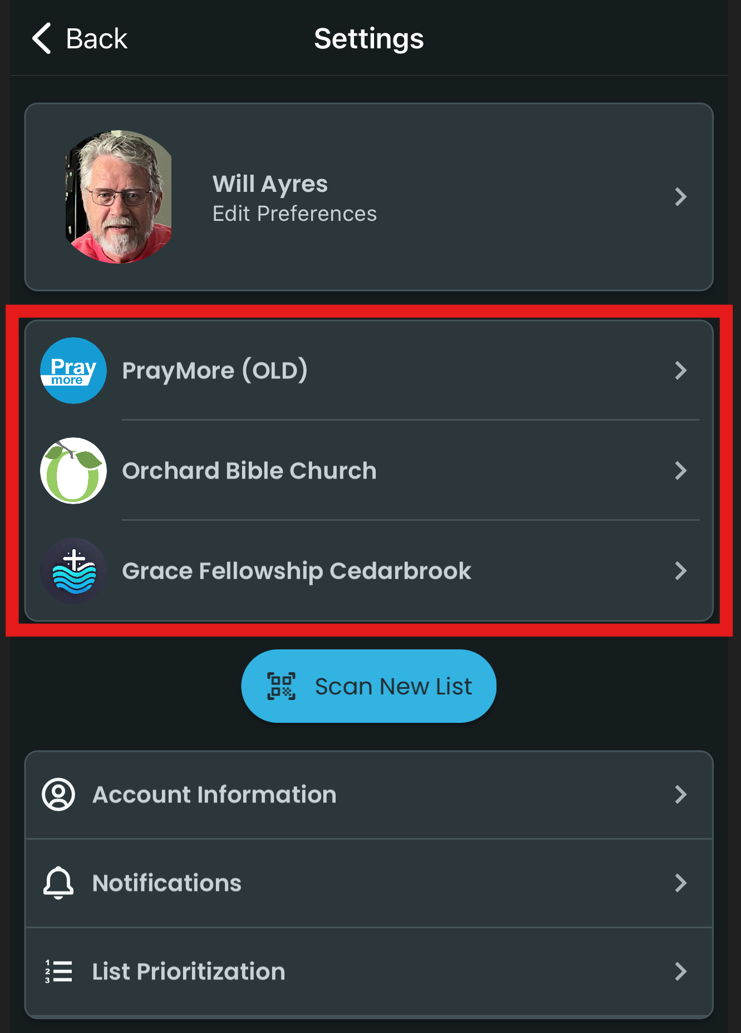
Tap on Profile>Settings to access your list.
Tap on the church/organization. We'll choose Grace Fellowship Cedarbrook for this example.
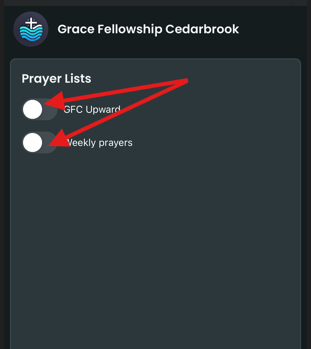
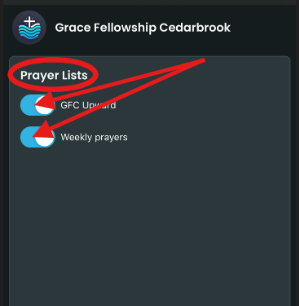
To activate a Prayer List, tap on it until the button moves to the right, showing blue to its left.
Troubleshoot #2: Tapping Share Button Doesn't Activate Prayer Request
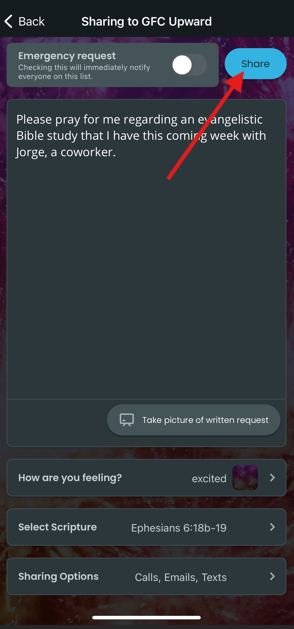
If you can enter all of your data for a prayer request but cannot send it to the group after tapping the blue Share button (as seen below). If you get an error when sharing, wait a little while and try again contact the PrayMore administrator at your church or ask your Group leader for help.
Troubleshoot #3: Make Sure That You're Not in Airplane Mode
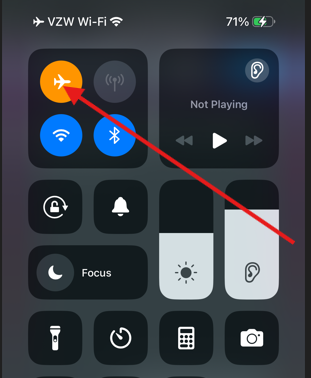
An airplane icon will be visible at the top right of your screen when you first turn on your phone if you are in airplane mode.

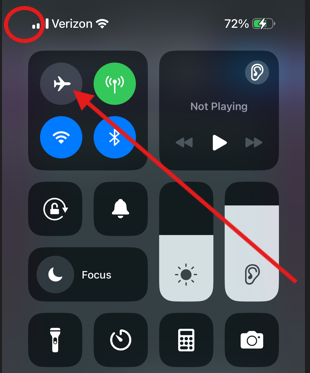
To quickly get out of airplane mode, swipe down on this same opening screen and tap on the highlighted airplane icon. The highlight will disappear as will the airplane icon in the upper left of your screen.
Troubleshoot #4: Verify That You Have Cell Service
If the Wi-fi symbol is not highlighted nor the 4 bars at its left, then you're out of range of service and need to try again later. It should look like the example below. Sometimes you may have one bar or a partial bar highlighted and still not be receiving sufficient connectivity to run the app.
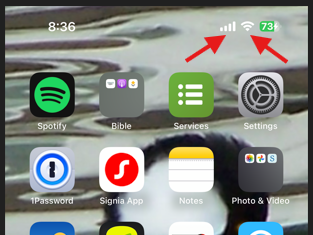
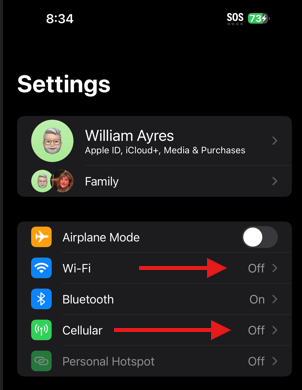
If you see no Wi-fi symbol and/or no bars, then your Wi-fi and Cellular service is turned off. Go to settings on your phone and check to see. In the example below both are off. To re-activate, tap each bar and simply turn them on. The symbols should reappear at the top right of your screen to confirm.
If none of these are helpful, contact your PrayMore administrator.