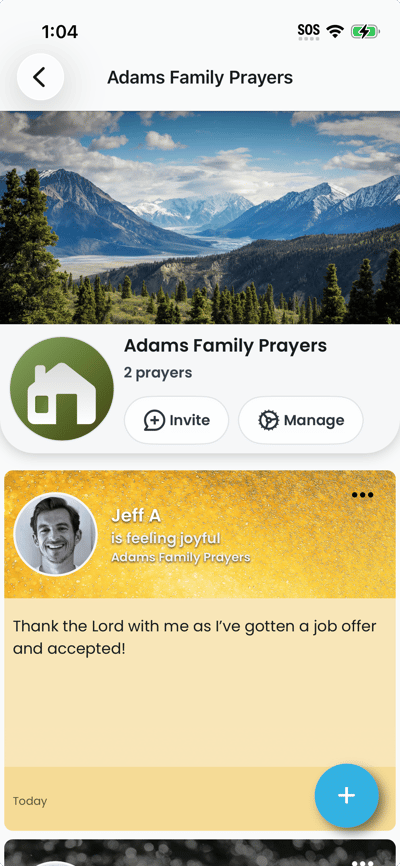
From the list view you can read prayers, create a new prayer for that list, or open group settings. To open a list:
- On the Lists tab, tap the card for the list you want to view. The screen shows the list page with the list name at the top and prayer cards below.
- Tap a prayer to open the detail screen. Tap the "+" button (plus button) to create a new prayer for this list. If you are an admin, you may see an option to manage the list or open Org settings.
- To refresh the list, simply pull down the page and the list will refresh.