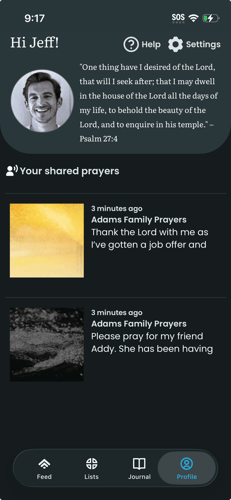
From Profile you can open Help, Settings (reminders, account, preferences), and tap your avatar to open user preferences. To use the Profile tab:
- Navigate to the Profile tab. The screen shows your greeting (e.g. Hi [name]), your avatar, and a short description or scripture.
- Tap Help (top right) to open the Help page. Tap Settings (gear icon) to open the Settings page. Tap your avatar to open user preferences (e.g. scripture, sharing defaults).