- Click the + button to create a new prayer. Select the list you would like to share to.
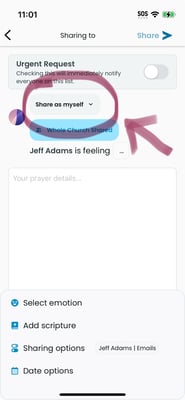
- If you are an admin of the group, near the top of the page, you will see a little button "Share as myself". If you tap this button, you can select "Share as group"
- Once you change to group sharing mode, you can write a prayer and share it from the group. (Instead of your name and profile picture, it will show your group name and picture as the sharer.)
English
