
To Access the Help Screen
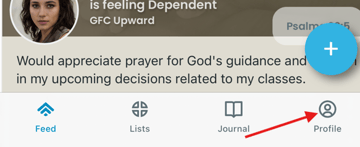
The Help icon is found on the Profile screen. Most of your PrayMore screens will have access to the Profile screen at the bottom right like the example below. Just tap on it and it will take you there.
Tap on the Help icon near the top right.
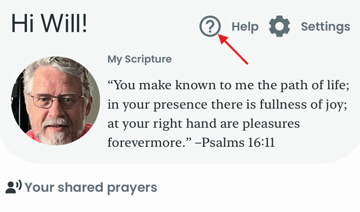
The Help screen will provide you with a link to our documentation as well as the ability to send an email directly to your Organizations PrayMore administrator.
First, tap on the Contact my PrayMore admin button. This will open your mail client on your device and you can address any concerns here. Tap send when you are done.