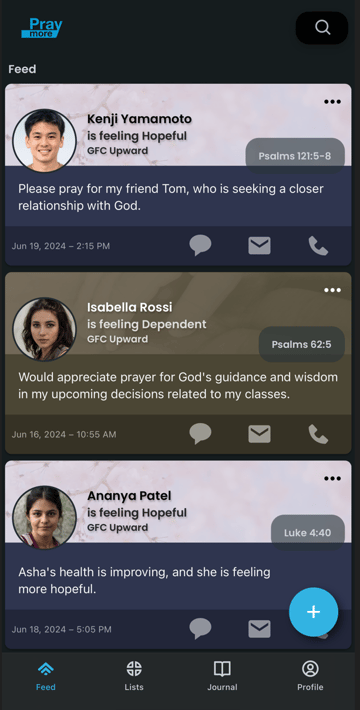
Prayer lists aren't selected
You have no lists that you are subscribed to
Your list is muted
Possibility #1: Your Prayer List is not selected in Settings.
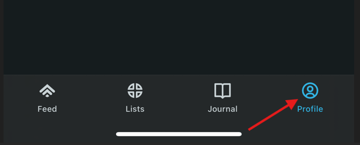
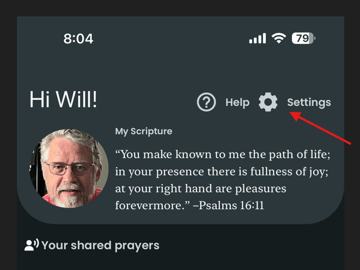
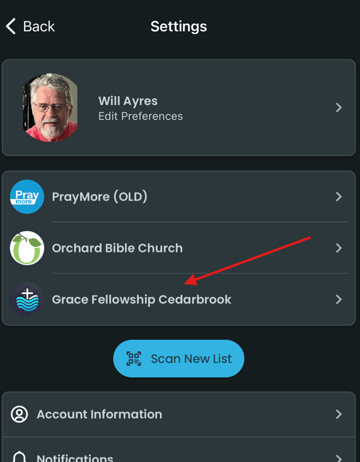
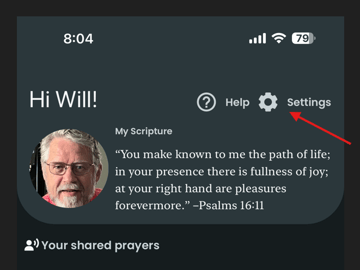
Go to the Profile screen and tap on Settings. To get to the Profile screen from any other screen, tap on the Profile icon at the bottom left of the screen you're in. If the Profile icon is not at the bottom, tap on the back arrow (<) in the upper left of any other screen to access it.
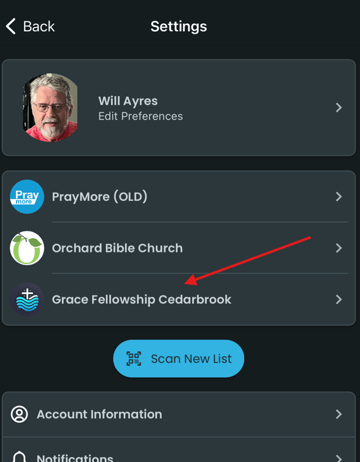
Next, tap on the church/organization with the empty Prayer List(s). In this example we'll select Grace Fellowship Cedarbrook.
If the slider button corresponding to your empty Prayer List is in the left position, then your list is not activated and won't appear in PrayMore.
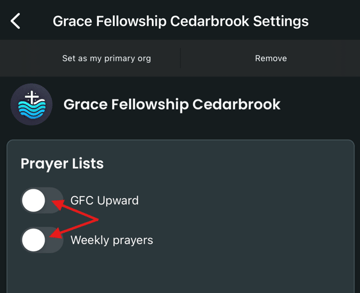
To activate your Prayer List, tap on the slider button to move it to the right side. Confirmation of the change will include the space next to the button filling with blue as seen below. Then, tap on the back arrow at the top left of your screen to see your Feed.
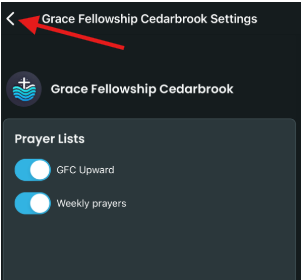
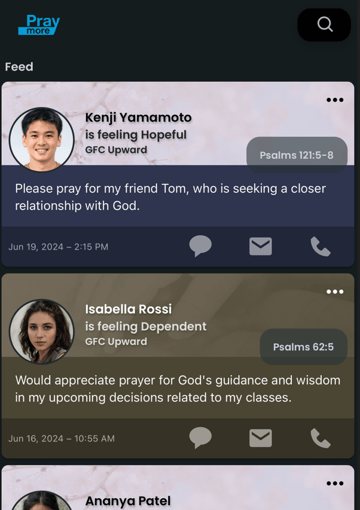
If this is your only issue your Feed will now be populated with prayer requests.
Possibility #2: You are not subscribed to the Prayer List.
If after tapping on your church/organization from Settings you get a screen with no Prayer Lists, then you must obtain a QR Code from your PrayMore administrator or group leader. Be sure to activate the list as shown above if after using the QR Code your prayer requests still do not appear.
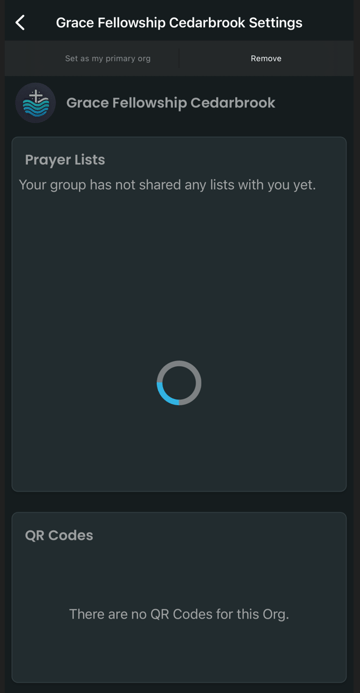
Possibility #3: Your Prayer List is set to Mute on your List Prioritization screen.
Begin with the first step of Possibility #1 above by tapping on Settings from your Profile screen. If you need help getting to the Profile screen, step one above will help you with that.
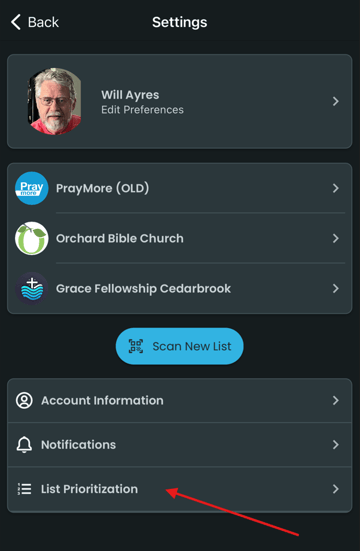
Tap on List Prioritization.
If your Prayer List has Mute highlighted in blue, then that list will not appear in PrayMore. In the example below, two different Prayer Lists are selected.
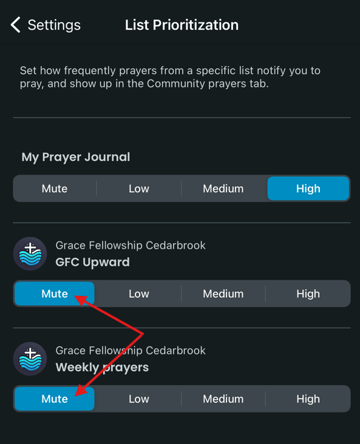
To activate a Prayer List, select among the other choices given: Low, Medium, or High. Your choice will determine the frequency you will be notified from that list as compared to other lists and My Prayer Journal. Medium has been selected for the two lists in the example below.
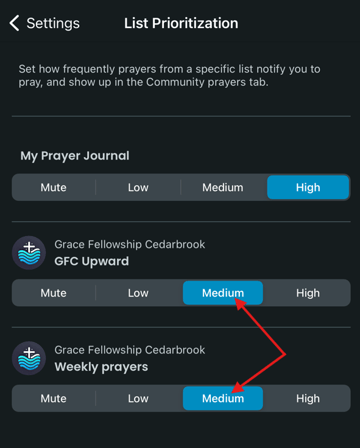
To verify that your Prayer List is now active, tap on the back arrow in the upper left from the List Prioritization screen
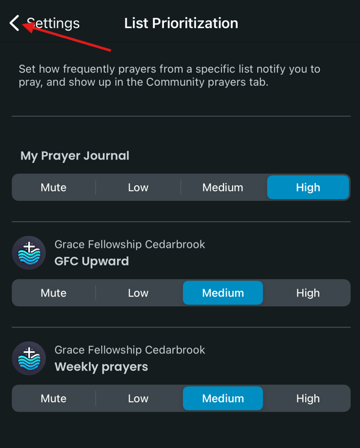
and then again from the Settings screen.
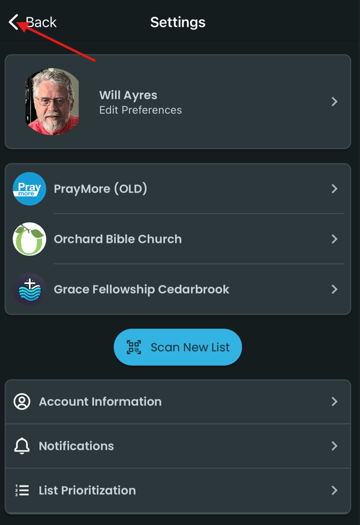
From the Profile screen, tap on Feed at the bottom left.
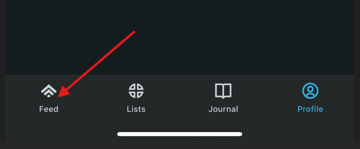
You should now be able to see your prayer requests.